
Designing before you build
How Resolve designs the whole solution — architecture, data model and a clickable prototype — and gets your sign-off before a single line of code is written.
Why design first
Skipping design is why AI builds drift — features get locally-optimal solutions and the architecture fragments. Resolve designs the whole solution up front so every later ticket follows one coherent plan.
From scope to architecture
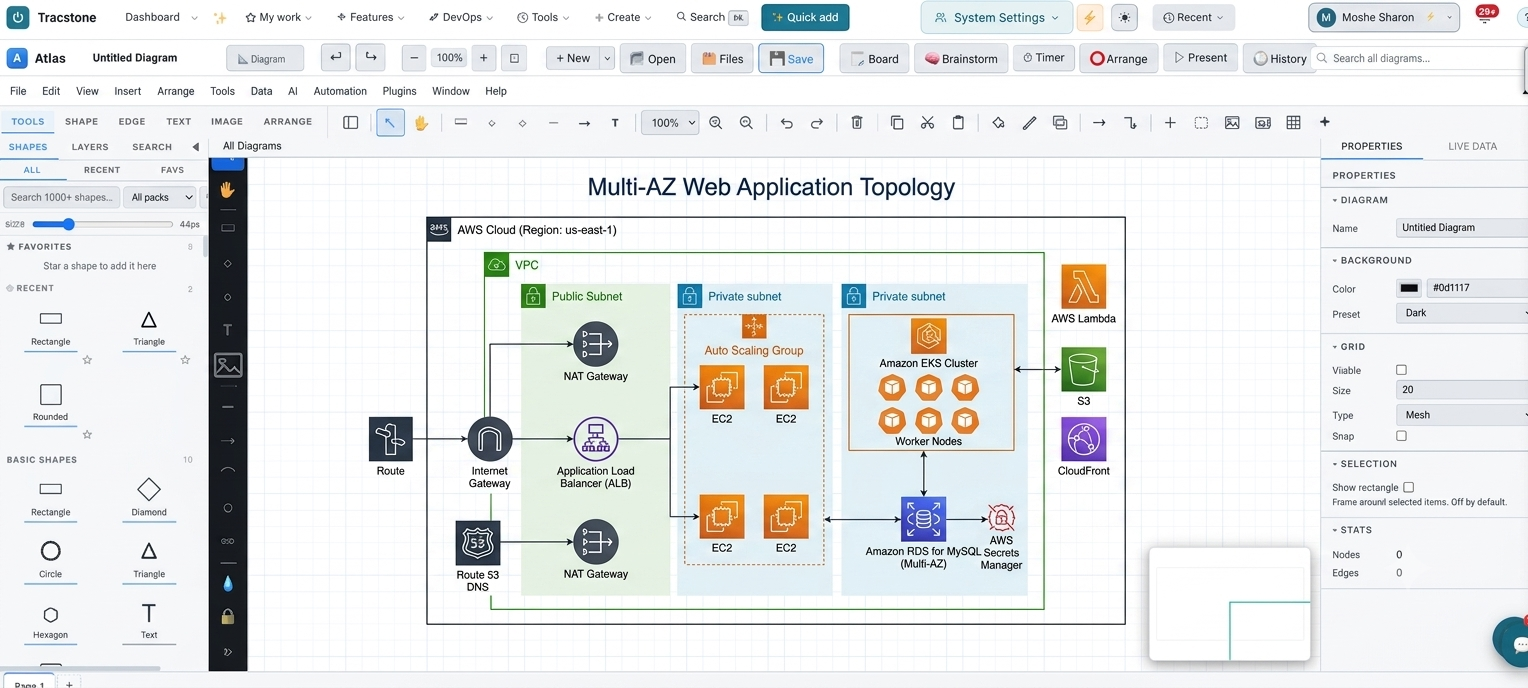
The AI Design Studio turns your scope into architecture diagrams and a data model. Embedded Atlas diagramming and the ERD designer make the structure explicit and editable.
- System & component architecture
- ERD / data model with relationships
- Reusable building blocks pulled from the Code Library
A prototype you can click
Designs become clickable prototypes you review in your portal — so you experience the product before it is built and can request changes while they are cheap.
Approve, then build
You sign off the design; only then do agents start building against it. The approved architecture is the contract every task is held to.
Keep reading.
From meeting to scope
How a requirement conversation becomes structured tickets, a charter and a roadmap — without anyone writing it all up by hand afterwards.
Read guide →Supervised AI delivery
How AI agents scope, write and review code while engineers stay firmly in control — and why a single goal becomes a tree of tasks with an agent on each.
Read guide →From repo to production
How a commit travels through automated build, test, scan and deploy — and straight into live monitoring — on pipelines wired into the platform.
Read guide →Proving compliance
How unified security findings map to CIS, SOC 2, ISO 27001 and PCI — and turn into auditor-ready, exportable evidence instead of a spreadsheet scramble.
Read guide →Running it offline
How a whole project runs fully air-gapped on your own AI — no paid AI modules, no external APIs and no vendor lock-in.
Read guide →Walk through it on your own project.
We’ll scope your build in one meeting and show this lifecycle running against it, live.
Start a project → All guides